Feedback Users Guide
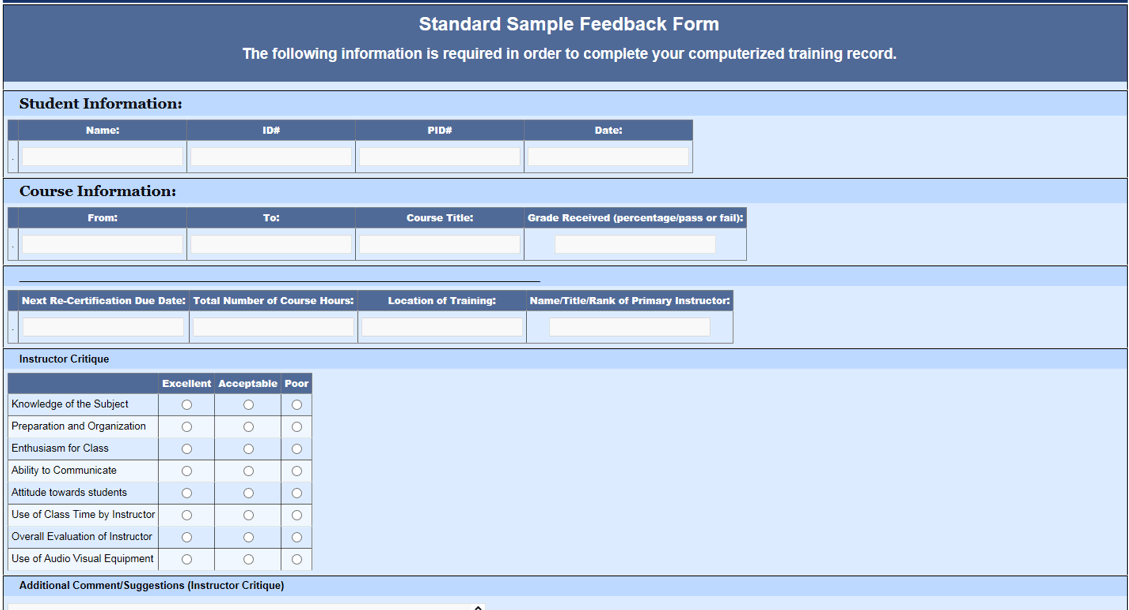
- The PM AM HCM Feedback Module allows you to customize and build
various forms
- Checklists can be built
- Forms that create an opportunity for your team to provide feedback
on processes and procedures can be built
- You can also create internal surveys that initiate employee responses
to various subjects of your choice
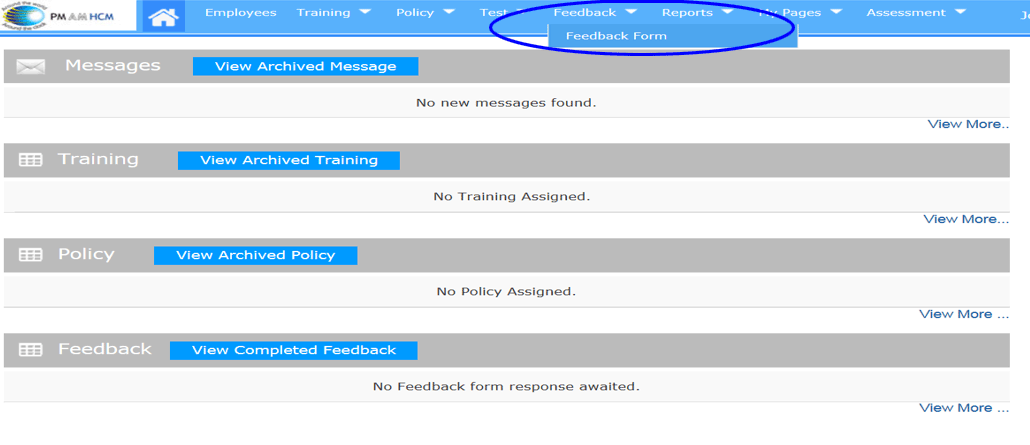
Create Feedback, Checklist or Survey Forms
- Use Feedback Dropdown to Access Feedback Form Builder
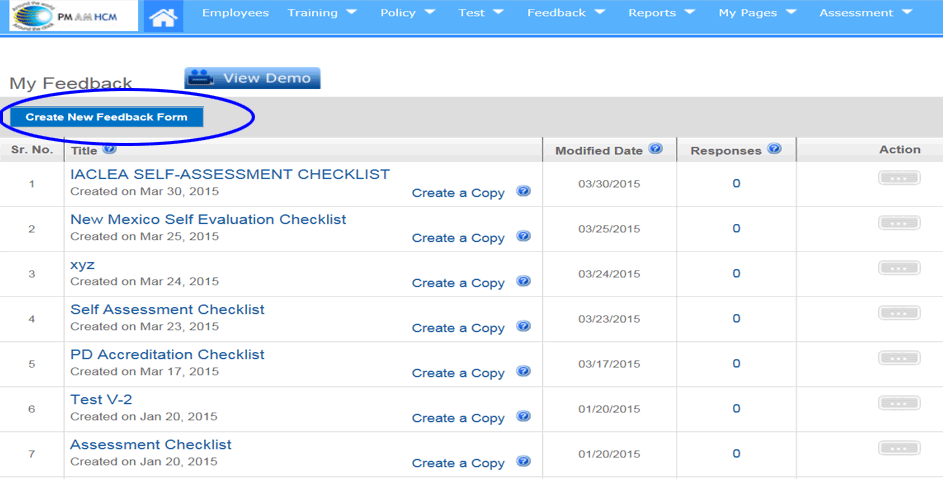
Create Form
- Click Here to Create New Form
Form Creation Process
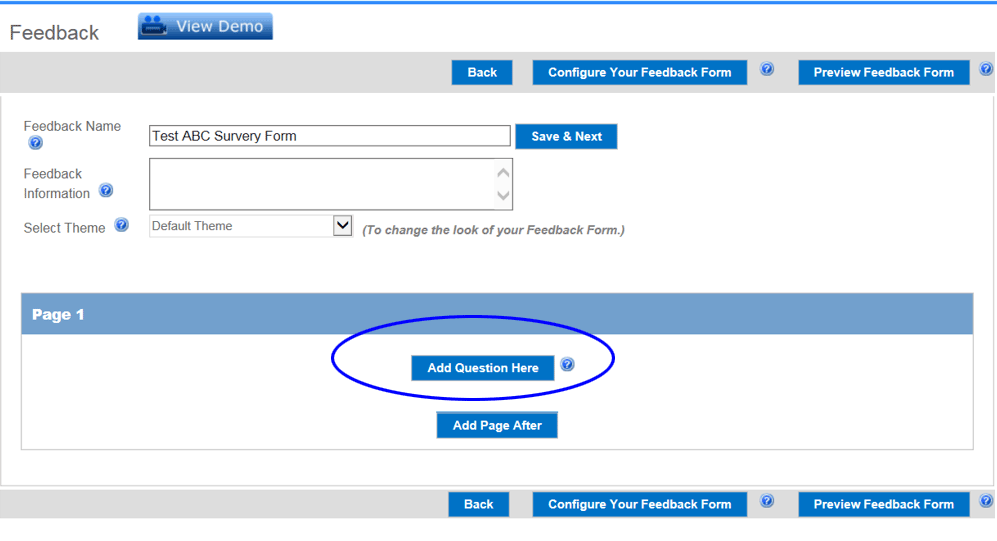
- Create Form Name and Click on “Save and Next”
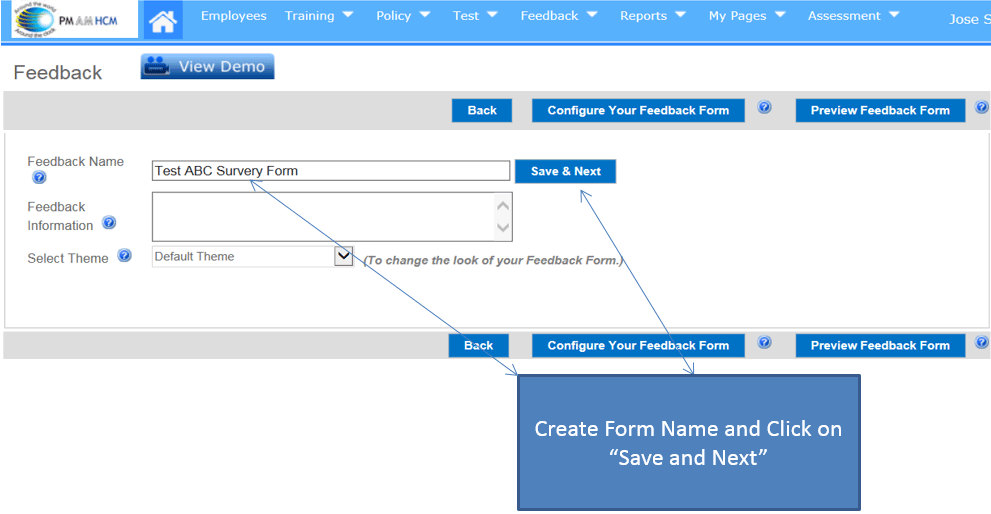
Starting Your Feedback Form
Selecting Form Components
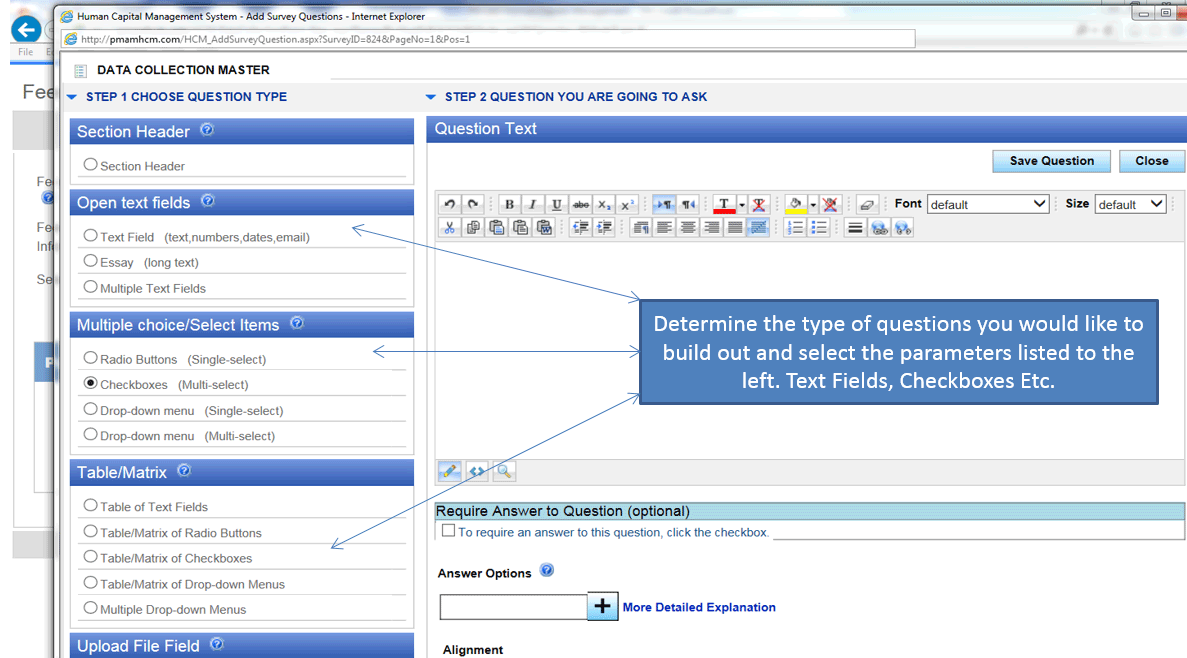
- Determine the type of questions you would like to build out and
select the parameters listed to the left. Text Fields, Checkboxes
Etc.
Creating Your Form
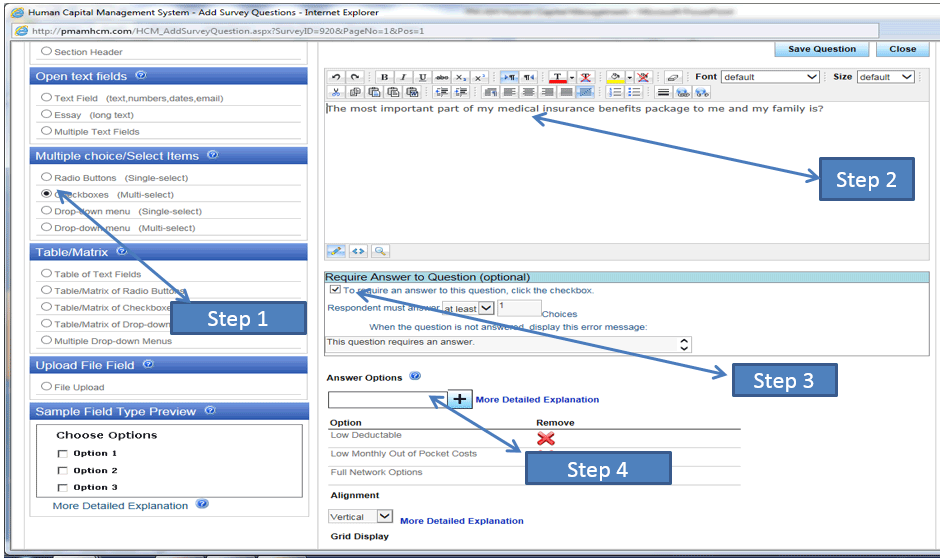
- Step 1
Select you parameter options above. In this example we have selected
simple Checkboxes
- Step 2
Type your survey statement, checklist question or other detail here.
- Step 3
If you will require an answer to a question, click here
- Step 4
Select your answer options. In this example we have selected 3 answer
options, Type in each answer in the “ANSWER OPTIONS” BOX and then
click on the + sign
Save Questions
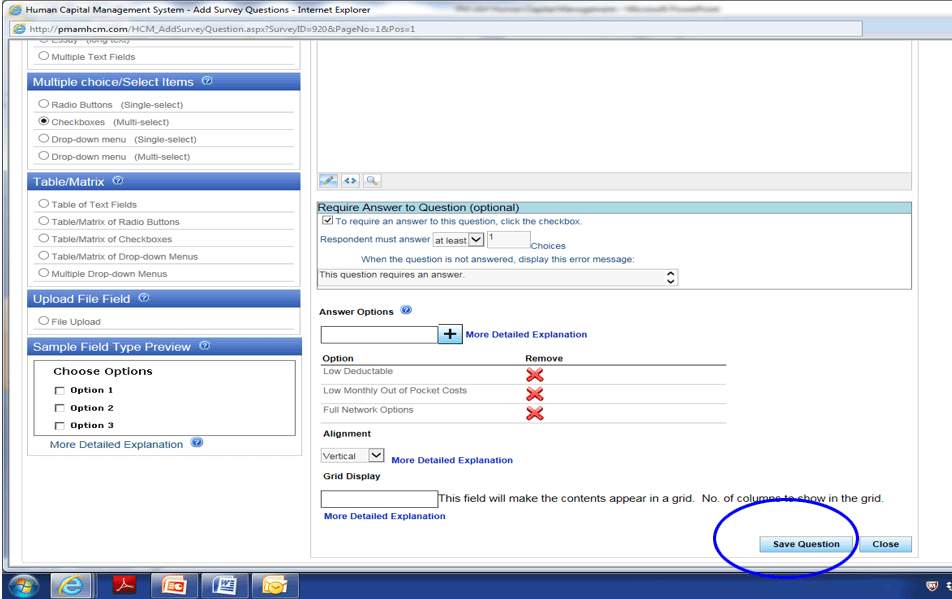
- Once you have completed each specific question and answer options,
scroll to the bottom of the page and select “SAVE QUESTION” Continue
until you have completed your list of questions
Form Example #1
- Here is an example of a checklist type form
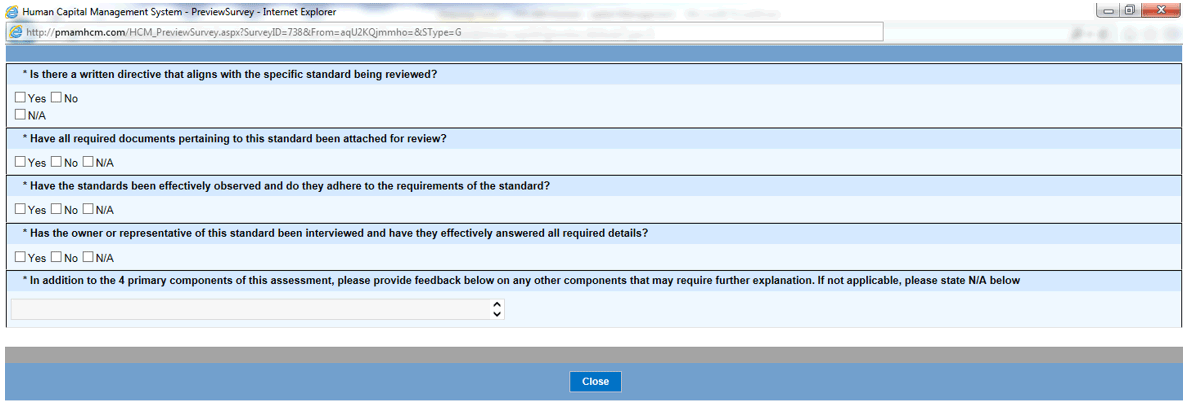
Form aExample #2
- Here is an example of a survey form